Getting Started#
This section provides a high level overview for using hecstac.
Installation#
hecstac is registered with PyPI and can be installed simply using python’s pip package installer. Assuming you have Python already installed and setup:
pip install hecstac
Note that it is highly recommended to create a python virtual environment to install, test, and run hecstac.
Workflows#
The following snippets provide examples for creating stac items from HEC model data.
# HEC-HMS Item
from hecstac.common.logger import initialize_logger
from hecstac import HMSModelItem

if __name__ == "__main__":
   initialize_logger()
   hms_project_file = "/<path-to-file>/model.hms"
   item_id = "hydrologic-model-1"
   asset_dir = "/<path-to-assets>/assets" # Location to store created assets

   hms_item = HMSModelItem.from_prj(hms_project_file, item_id, asset_dir=asset_dir)
   hms_item.save_object(hms_item.pm.item_path(item_id))
# HEC-RAS Item
from hecstac.common.logger import initialize_logger
from hecstac import RASModelItem


if __name__ == "__main__":
   initialize_logger()
   ras_project_file = "/<path-to-file>/ras-model.prj"
   crs="EPSG:4326"
   assets_list = [
      "/<path-to-assets>/ras-model.p01.hdf",
      "/<path-to-assets>/ras-model.b01",
      "/<path-to-assets>/rasoutput.log",
   ]
   ras_item = RASModelItem.from_prj(ras_project_file, crs=crs, assets=assets_list)
   # Note: if no assets are passed, .from_prj() will add any files matching the format ras-model.*
   # ras_item = RASModelItem.from_prj(ras_project_file, crs=crs)
   ras_item.save_object(ras_item.pm.item_path(item_id))
The following snippet provides an example of how to create stac items for an event based simulation.
from pystac import Item

from hecstac.common.logger import initialize_logger
from hecstac.events.ffrd import FFRDEventItem

if __name__ == "__main__":
   initialize_logger()

   # HMS Info
   hms_source_model_item_path = "/<local-file-dr>/authoritative-hms-model.json"
   hms_source_model_item = Item.from_file(hms_source_model_item_path)
   hms_simulation_files = [
      "<local-file-dr>/hms-model.basin",
      "<local-file-dr>/hms-model.grid",
      "<local-file-dr>/hms-model.control",
      "<local-file-dr>/hms-model.dss",
      "<local-file-dr>/hms-model.met",
      "<local-file-dr>/Precip.dss",
   ]


   # RAS Info
   ras_source_model_item_path = "/<local-file-dr>/authoritative-ras-model.json"
   ras_source_model_item = Item.from_file(ras_source_model_item_path)
   ras_simulation_files = [
      "/<local-file-dr>rasoutput.log",
      "/<local-file-dr>ras-model.p01.hdf",
      "/<local-file-dr>ras-model.b01",
   ]

   # Event Info
   realization = "R01"
   block_group = "BG01"
   event_id = "E01"

   ffrd_event_item_id = f"{realization}-{block_group}-{event_id}"
   dest_href = f"/<local-file-dr>/{ffrd_event_item_id}.json"

   ffrd_event_item = FFRDEventItem(
      ras_simulation_files=ras_simulation_files,
      source_model_paths=[ras_source_model_item],
      event_id=event_id,
      realization=realization,
      block_group=block_group,
      hms_simulation_files=hms_simulation_files,
   )

   ffrd_event_item.save_object(dest_href=dest_href)
Viewing Results#
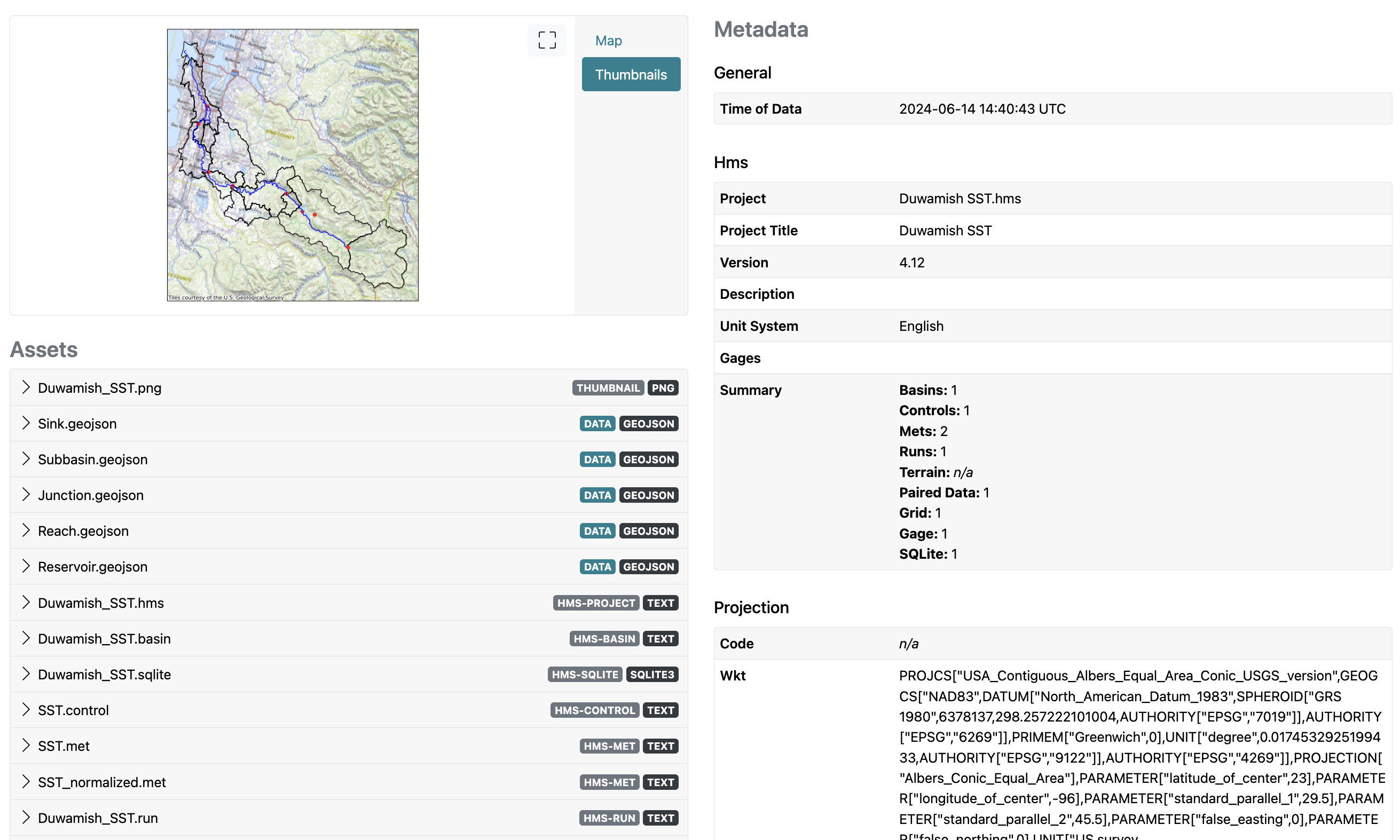
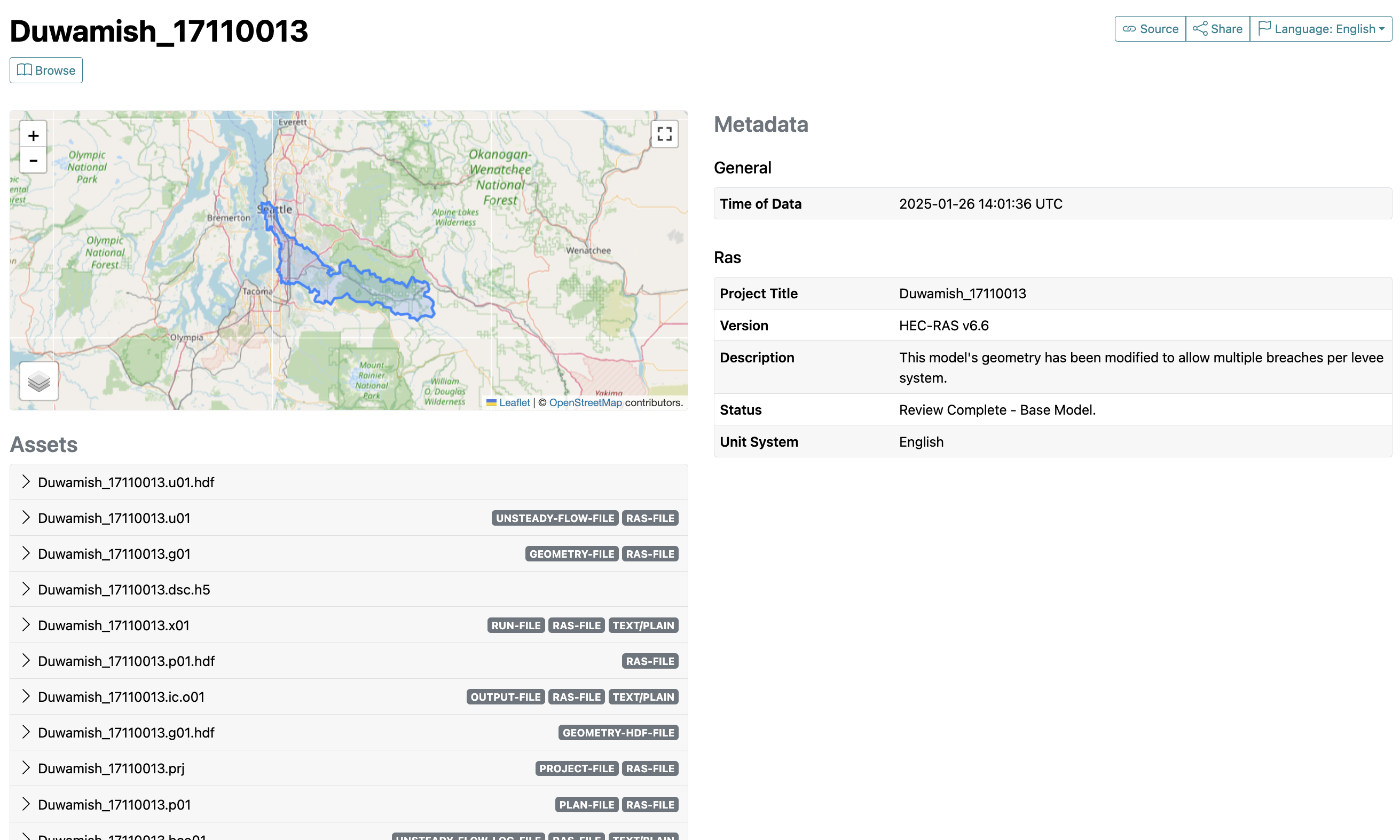
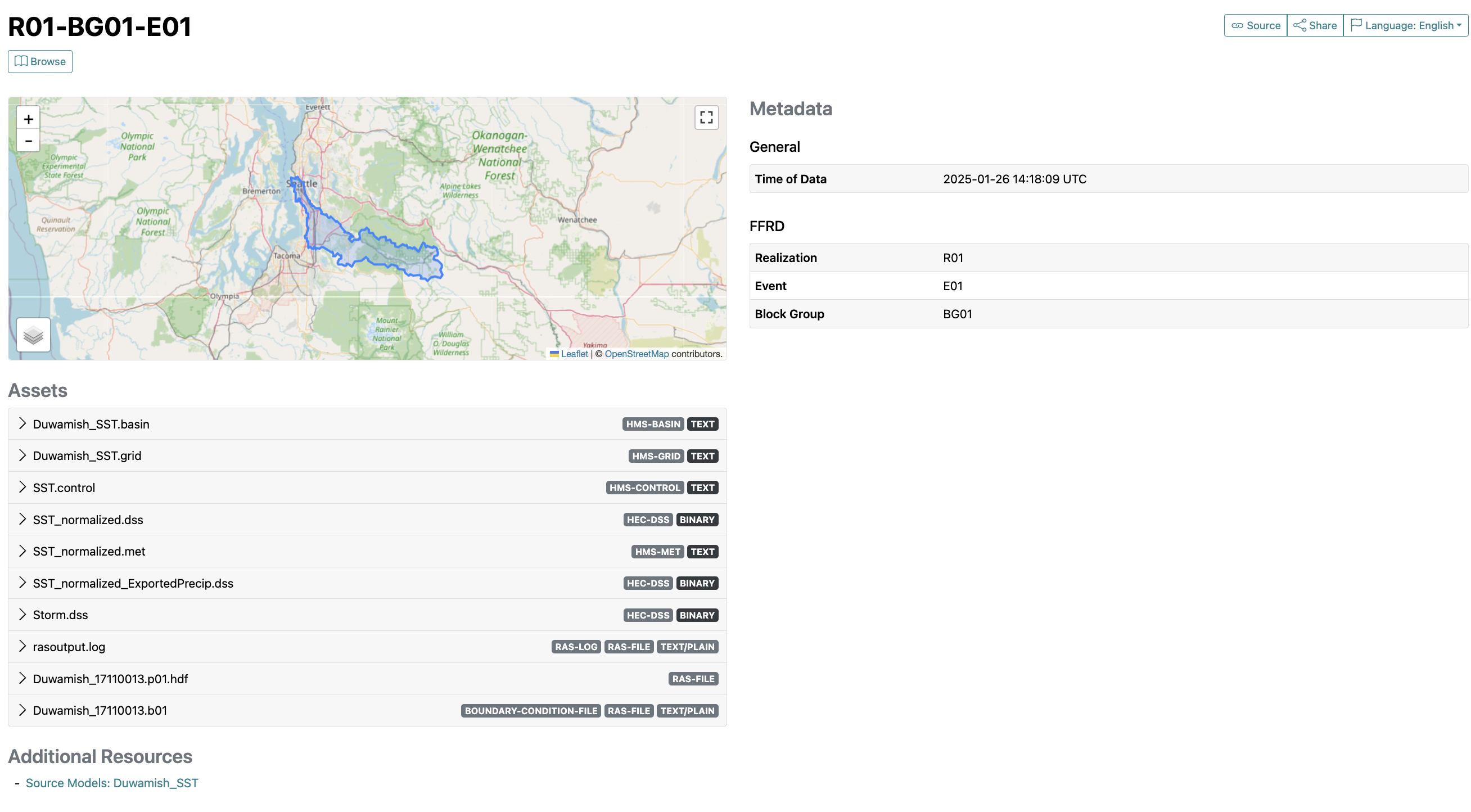
Example Items created from the Duwamish watershed.
HMS Item#
RAS Item#
Event Item#
Troubleshooting#
For help troubleshooting, please add an issue on github at fema-ffrd/hecsta#issues